
Halloween · Prompt guide
How to Make AI Halloween Photos: 6 Full Prompts, Steps and Fixes
The same template can give very different results once you swap the reference photo or change one line. This guide covers how to pick an idea, take its prompt into the Playground, adapt it to your own photo, and fix a result that misses. All six prompts are complete, so you can copy them as they are.
- Pick the theme first, then edit the prompt. Check who, or what, will be in the picture before you choose a template.
- In the Playground, you upload your photo and send it yourself. Nothing is generated or charged automatically.
- Change one thing at a time, so you know which edit made the difference.
- Before you share, check hands, faces, extra people and any text in the frame.
Pick the theme first, then the photo
How a Halloween photo turns out depends a lot on whether the reference photo fits the scene. Start by asking who, or what, will be in the picture, then find the matching category below. Each recommended idea opens with its full prompt and the photo it needs.
| Scenario | Recommended idea | Photo needed | Check first |
|---|---|---|---|
| Halloween costumes | Velvet Vampire, Golden-Hour Walk | Needs 1 portrait | Fang size, skin texture, and whether the shadows stay clean |
| Fun selfies | Who's in the Doorway? | Needs 1 portrait | Extra people in the background, and whether the joke is still readable |
| Couples | Party Kitchen, String Lights On | 1 couple photo or 2 portraits | Both faces about the same size, and no third person |
| Pets | Caught Red-Pawed: The Pumpkin Thief | Needs a pet photo | Paw count, and whether the markings and coat colour match your pet |
| Shops & marketing | Storefront Makeover for Halloween | Needs a shop photo | Shop edges and product shape hold, and the sign or label is unchanged |
| No-photo scenes | The Ghost Laundromat | No photo needed | Stray text, and whether the frame feels too crowded |
Make AI Halloween photos look real
Most of the realism comes from a few habits. These six rules run through every prompt in this guide, so you can follow them when you edit your own.
- Use a real place, then add the decorations. A street, a café or a bedroom looks believable. Pumpkins, string lights and cobwebs are decoration; do not turn the whole room into a fantasy set.
- Keep your own outfit and add one or two pieces. A cape, a witch hat, plastic fangs or cat ears are enough. A full costume makes the photo look staged.
- Describe the light, and keep it bright. Golden-hour side light, window light and warm string lights all work. Words like "dim" or "almost black" make the image murky and the skin look dirty.
- Show the whole face. Full-face masks, face paint and hats that cover the eyes make the model lose facial detail, so the result looks less like you.
- Say "not CGI, not over-retouched". Without it, models often smooth the skin until the photo looks like a game render.
- Generate one, then change one thing. If the first result misses, do not rewrite the whole prompt. Edit one line from the fix table and compare the two results.
From template to finished photo in five steps
- Pick an idea Browse the gallery on the Halloween photos page and choose a look you like.
- Read the full prompt Open the idea to see the complete prompt and the kind of photo it needs.
- Load it into the Playground Sign in to AIHubMix first, then choose "Create this look". The model, the 1152×1536 size (exactly 3:4, matching the prompt) and the prompt are filled in for you.
- Upload, then send yourself Add your reference photo and check the model and cost before you send. Nothing is generated or charged automatically.
- Check, then save Zoom in on hands, eyes and any text. If it looks right, download it and note the prompt and model so you can reuse them.
Six full prompts with samples
Each prompt is complete and ready to use as it is. The samples feature fictional people, pets and shops, so results with your own photo will differ.
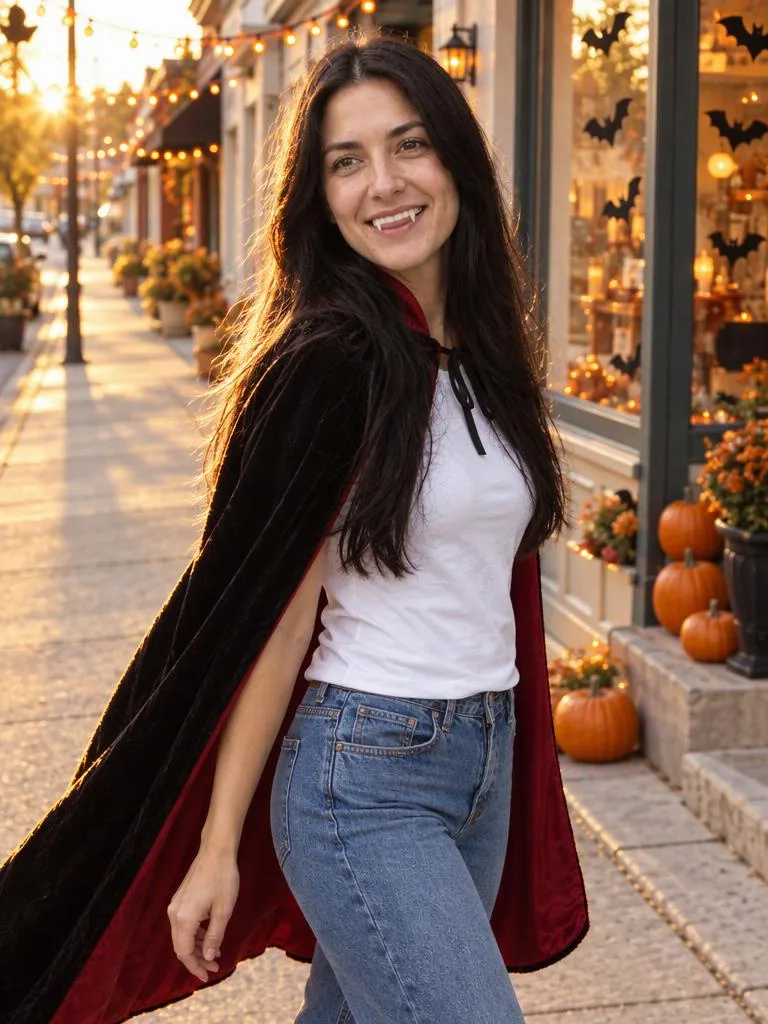
Velvet Vampire, Golden-Hour Walk
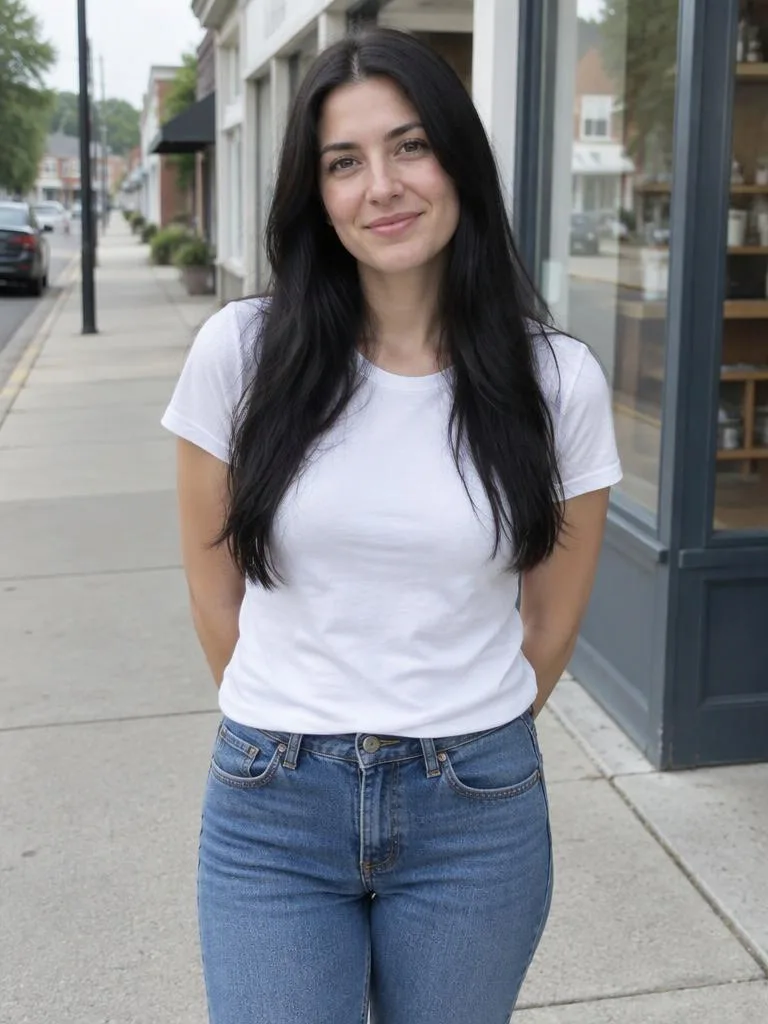 Original
Reference photo: Needs 1 portrait
Use the uploaded photo as the only identity reference: keep the face shape, facial proportions, hairline, skin tone and apparent age. Do not beautify, do not swap the face, and do not turn the person into someone else. A bright golden-hour photo on a small old-town street, with shopfronts decorated for Halloween: pumpkins on the steps, orange string lights overhead, paper bats taped to the windows. The person keeps their own everyday outfit, a white shirt and straight jeans, and adds one black velvet cape with a deep red lining, fastened loosely at the neck, plus a pair of plastic fangs that show when they smile. They are mid-stride, glancing back over one shoulder and laughing, face fully visible. Low sun from behind and to the left gives a warm rim light on the hair and cape, with soft fill bouncing off the cream walls. Medium shot from the knees up, 35mm lens, natural colours, crisp detail, real skin texture. Vertical 3:4. A bright, true-to-life photograph like a professional lifestyle or street-style shoot: warm natural or practical light, accurate colours, crisp detail and real skin texture; not CGI, not a painting, not over-retouched. No text, watermark, border or collage; festive and playful, never gory.
Why it is written this way
The identity clause comes first and locks face shape, features and apparent age. The scene then sets the place (an old street at golden hour, with pumpkins and string lights), the costume, the pose, the light and the lens, and the constraints close the prompt. The key phrase is "keeps their own everyday outfit", with one cape and one pair of fangs added. Keep the outfit mostly as it is and the photo reads as a street snapshot; swap in a full vampire costume and it becomes a costume shoot.
If it misses, change this first
Still looks airbrushed? Add "keep pores and small blemishes, no skin smoothing".
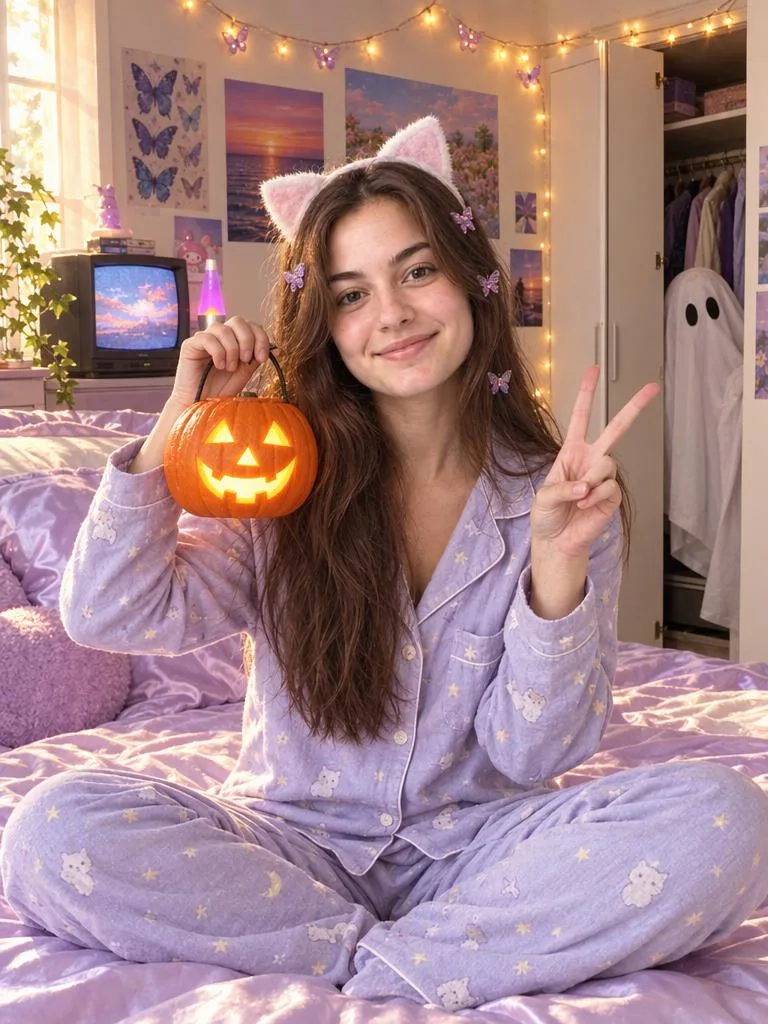
Who's in the Doorway?
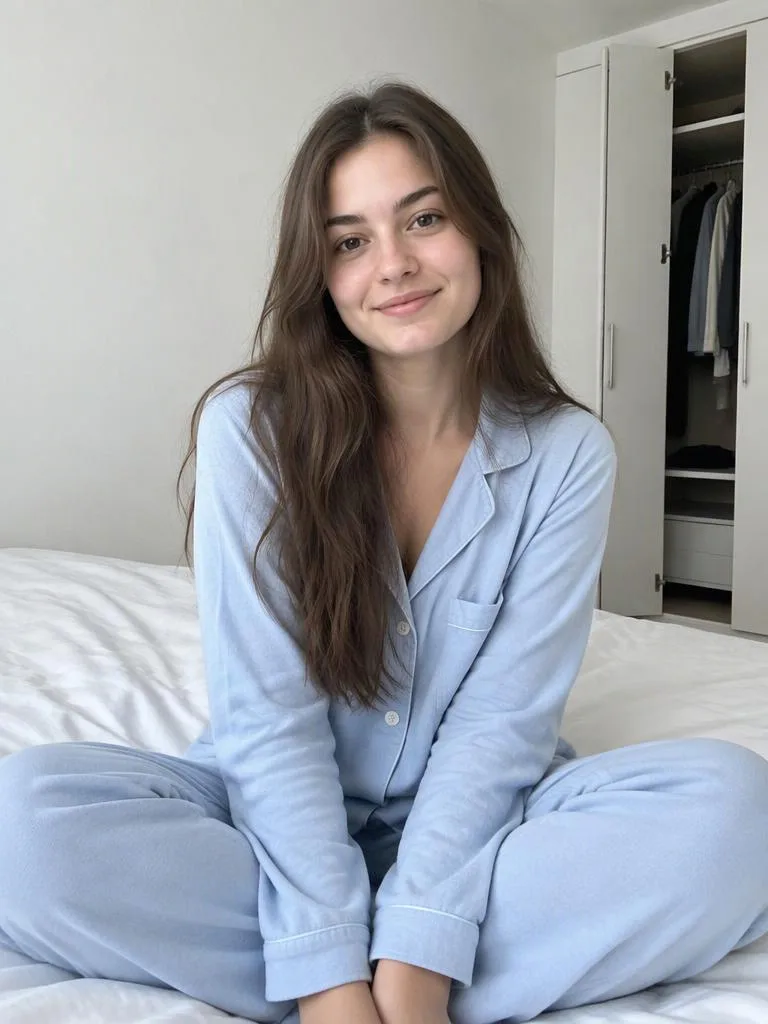 Original
Reference photo: Needs 1 portrait
Use the uploaded photo as the only identity reference: keep the face shape, facial proportions, hairline, skin tone and apparent age. Do not beautify, do not swap the face, and do not turn the person into someone else. A bright, cheerful late-1990s bedroom in warm afternoon light from a window, with pastel and lavender satin sheets, glittery butterfly hair clips, a little tube TV, and fairy lights looped above the bed. The person sits cross-legged on the bed in their own cosy pyjamas, wearing a cat-ear headband, holding a glowing carved pumpkin lantern up beside their face, the other hand in a playful V-sign and a big grin. Behind them the wardrobe door is open a crack, and a bedsheet ghost with two black eye holes peeks out at the edge of the frame, clearly playful rather than scary. Posters on the wall have no readable text. Crisp digital photo look, 35mm lens, medium shot, true colours and cheerful pastel tones. Vertical 3:4. A bright, true-to-life photograph like a professional lifestyle or street-style shoot: warm natural or practical light, accurate colours, crisp detail and real skin texture; not CGI, not a painting, not over-retouched. No text, watermark, border or collage; festive and playful, never gory.
Why it is written this way
The joke is the ghost in the wardrobe gap, so the scene first makes the room believable: afternoon light, fairy lights, satin sheets and a small TV. The person gets one set of actions (cross-legged, lantern raised, a V-sign) rather than a stack of poses. The key phrase is "at the edge of the frame, clearly playful rather than scary". It tells the model the ghost is a gag, not a horror prop.
If it misses, change this first
If the ghost steals the show, add "the ghost is deep in the frame and mostly hidden by the wardrobe door".
Party Kitchen, String Lights On
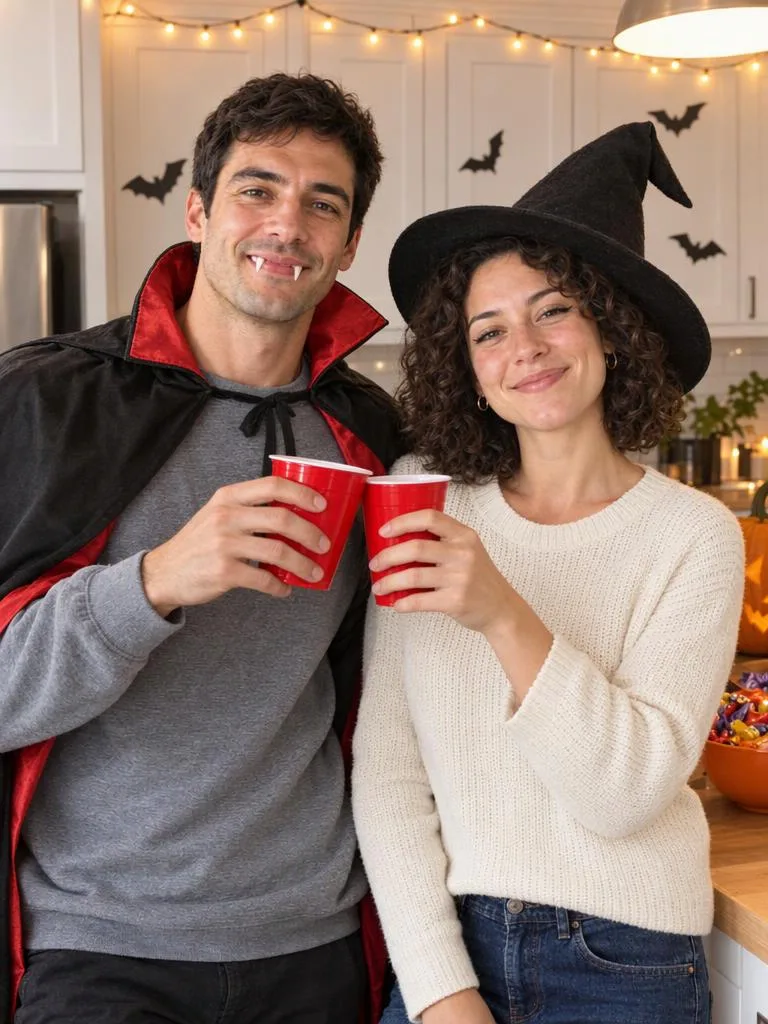
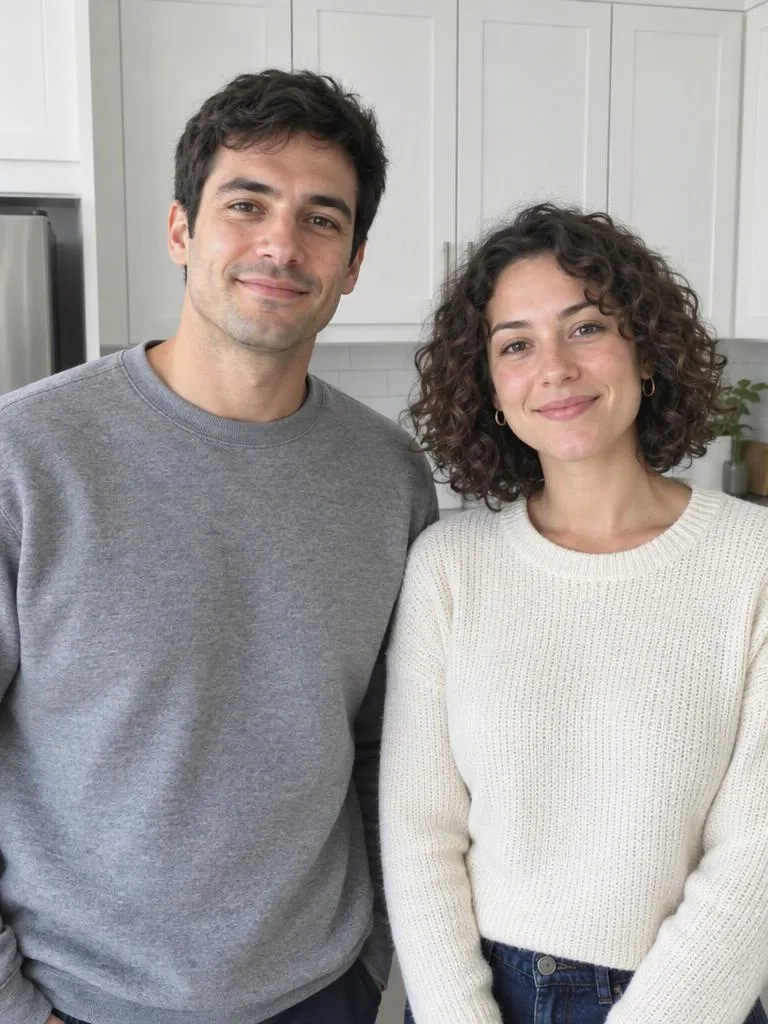 Original
Reference photo: 1 couple photo or 2 portraits
Use the uploaded photos as identity references for two people. If it is one photo of two people, the person on the left is A and the person on the right is B. If there are two photos, photo 1 is A (left side of the frame) and photo 2 is B (right side). Each keeps their own face shape, features, skin tone and apparent age; do not blend features or swap identities. A candid moment at a Halloween house party in a bright, cosy home kitchen with warm string lights strung along the cabinets. A wears their own grey sweatshirt under a cheap black vampire cape with a red lining and plastic fangs; B wears their own knit top with a felt witch hat and a little black eyeliner. They lean against the counter shoulder to shoulder, mid-laugh, each holding a red party cup, clinking them together. Counter details: a half-carved pumpkin, a bowl of candy, paper bats taped to the cabinets. Warm string lights and a bright overhead lamp light both faces evenly. Medium shot from the waist up, 35mm lens, like a friend snapped it mid-laugh, natural colours and real skin texture. Vertical 3:4. A bright, true-to-life photograph like a professional lifestyle shoot: warm natural or practical light, accurate colours, crisp detail and real skin texture; not CGI, not a painting, not over-retouched. Only A and B appear as people. No text, watermark, border or collage; festive and playful, never gory.
Why it is written this way
Two-person prompts fix the positions first. The identity clause names the left person A and the right person B, and the scene ties the cape to A and the witch hat to B, so the costumes never swap. The mood matters too: "like a friend snapped it mid-laugh" keeps the pose natural. The line to keep is "only A and B appear as people", because a busy kitchen background is where a third face tends to appear.
If it misses, change this first
If they look posed, add "like a friend called their names and snapped it, not a posed shot".
Caught Red-Pawed: The Pumpkin Thief
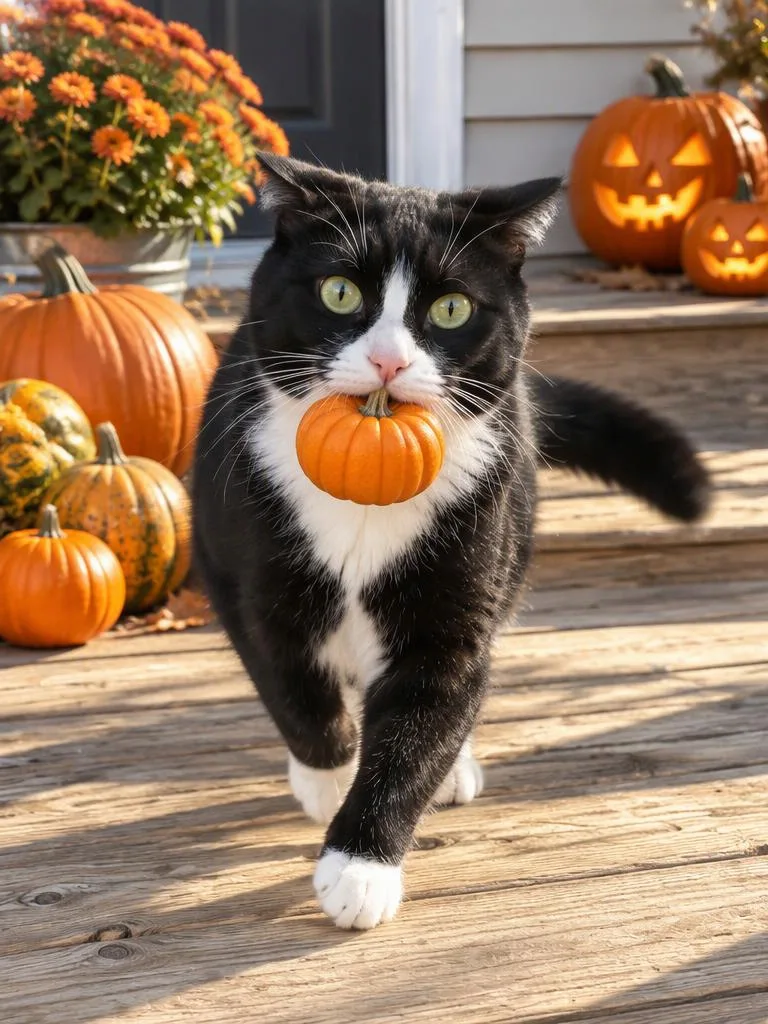
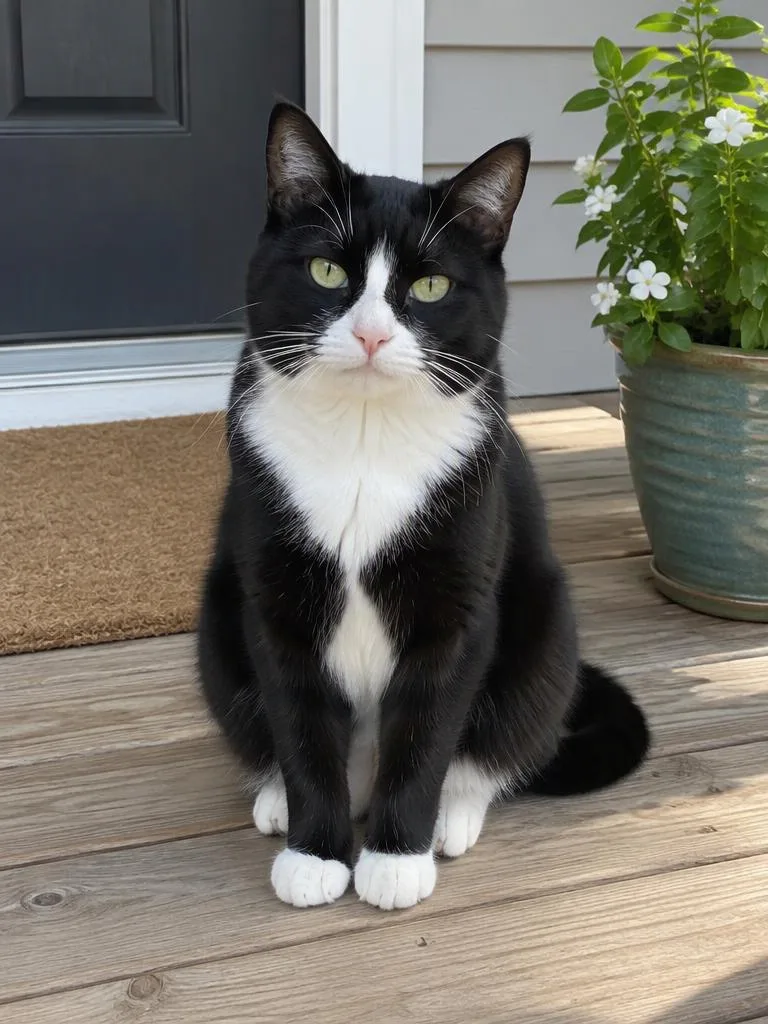 Original
Reference photo: Needs a pet photo
Use the uploaded pet photo as the only reference: keep the breed, body shape, coat colour, markings, eye colour and face shape. Any costume is light and loose, never covers the face and never restricts movement. Late afternoon on a sunny wooden front porch. The pet carries a mini pumpkin, much smaller than its head, in its mouth and is frozen mid-step, sneaking away from a pile of pumpkins, staring straight into the camera with wide, guilty eyes and ears pressed back. Two carved pumpkin lanterns sit on the steps, their faces glowing warm in the daylight. Bright, even sunlight from the left, eyes catching the light, crisp natural fur with real texture, a little motion softness on the tail. Medium shot at the eye level of the pet, 50mm lens, playful and cheerful. Vertical 3:4. A bright, true-to-life pet photograph: natural light, accurate colours, crisp natural fur; not CGI, not a painting. No text, watermark, border or collage; no extra paws, legs or tails; the pet looks relaxed and unrestrained.
Why it is written this way
The identity clause locks breed, coat, markings and eye colour first, so the pet still looks like your pet. The costume is a mini pumpkin "much smaller than its head" held in the mouth. That size phrase matters most: a bigger pumpkin covers the face and makes the pet look weighed down. The moment is frozen mid-step, which is where extra paws show up, so count the paws on every result.
If it misses, change this first
If the pumpkin warps the face, make it smaller or have the pet "sitting next to" it instead of carrying it.
Storefront Makeover for Halloween
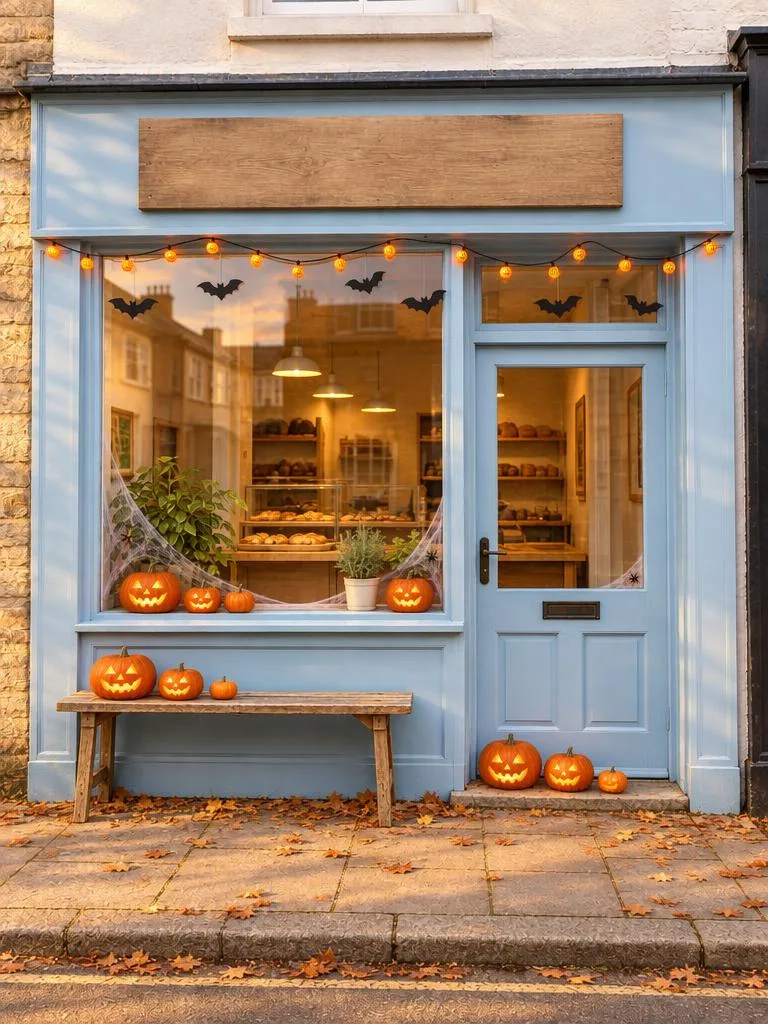
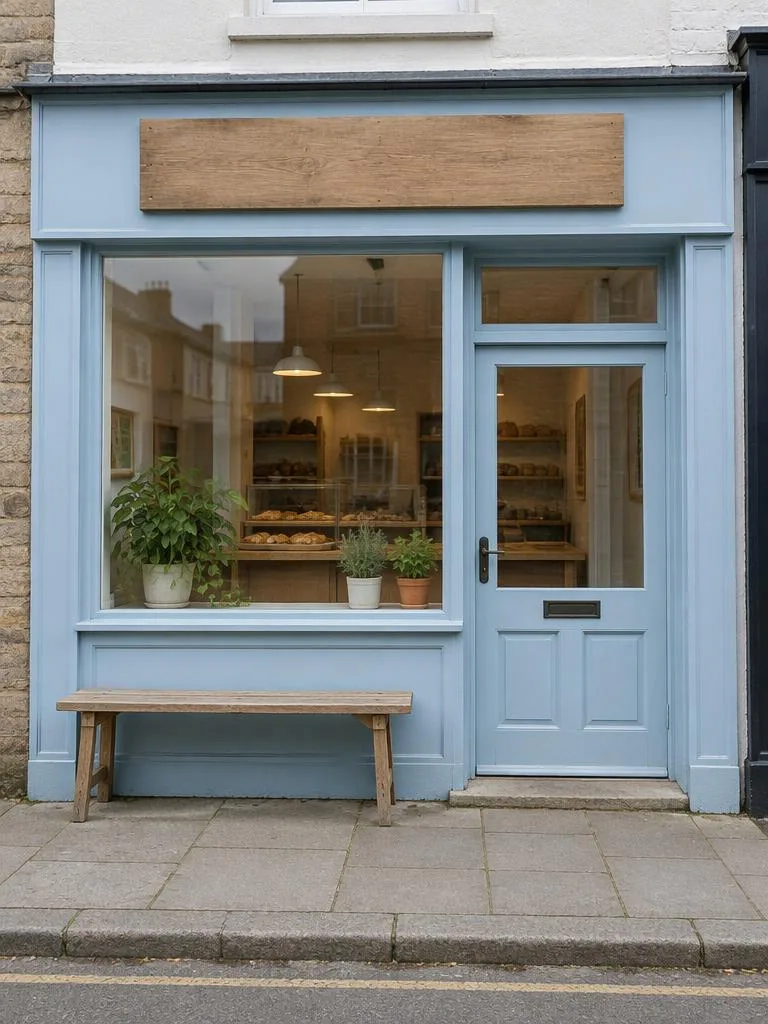 Original
Reference photo: Needs a shop photo
Use the uploaded photo of the shop as the base image: keep the building, layout, windows, doors, colours and existing signs exactly as they are, from the same camera angle. Only add the Halloween decorations described below; do not remove or redesign anything. A small independent shop front in late afternoon sunlight, with the same building and camera angle as the uploaded photo. Add Halloween decorations only: a row of carved pumpkin lanterns on the front steps and the window ledge, cobweb draped gently across the lower corners of the glass, orange string lights looped above the door, and a few paper bats hung under the awning. Dry autumn leaves on the pavement. Keep the existing sign exactly as it is. Warm, inviting golden light, bright colours, the glass reflecting the soft sky. Straight-on eye-level composition, 35mm lens, clean crisp detail, lively and welcoming. Vertical 3:4. A bright, true-to-life commercial photograph from the same camera angle as the uploaded photo: warm, inviting light, accurate colours, crisp detail; not CGI, not a painting. Keep existing signs exactly as they are and do not add any new text, logos or watermarks; no border or collage; festive, never gory.
Why it is written this way
The identity clause for a shop is about keeping the building: same camera angle, same windows and doors, same sign, and only the decorations listed get added. The scene then names each decoration in turn, from the lanterns on the steps to the bats under the awning. The line to keep is "keep the existing sign exactly as it is". A shop that looks like a different shop is no longer a useful preview.
If it misses, change this first
If the decorations cover the windows, add "the glass stays clear and the display inside is fully visible".
The Ghost Laundromat
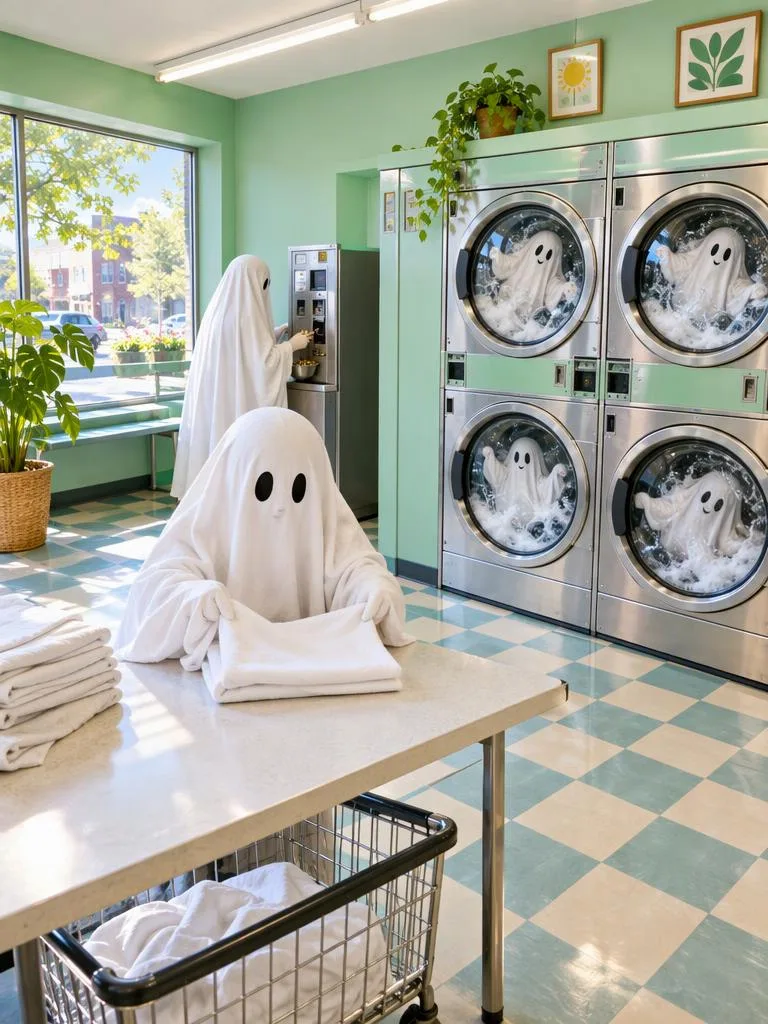
Reference photo: No photo needed
A retro self-service laundromat on a sunny morning, daylight pouring in through a wide front window, mint-green walls and a row of front-loading machines with round glass doors. Several white bedsheet ghosts tumble happily inside the drums, bright suds swirling around them. One freshly washed ghost sits on the folding table, carefully folding itself into a neat square; another stands at the change machine, sorting coins. Fluorescent tubes overhead, a cheerful tiled floor, a potted plant by the window, and no readable text on any sign or panel. 28mm wide angle at eye level, bright and clean colours, playful, sharp detail. Vertical 3:4. A bright, true-to-life photograph with warm natural or practical light, accurate colours and crisp detail; not CGI, not a painting. No text, watermark, border or collage; festive and playful, never gory.
Why it is written this way
This one needs no photo, so there is no identity clause. The prompt starts with the place and the morning light, then says what each ghost is doing: a group spinning in the drums, one folding itself into a square, one sorting coins at the change machine. Distinct actions keep the frame lively without clutter. The line that matters most is "no readable text on any sign or panel": laundromats are full of labels, and models love to fill them with gibberish.
If it misses, change this first
Signs and machine panels invite gibberish. Add "no text on any sign, label or panel".
Using your own photo: five identity clauses
The reference photo matters as much as the prompt. Check these points before you upload, then use the clause that matches who, or what, is in the picture.
- Face the camera, with eyes and mouth clearly visible.
- Use even light. Avoid strong backlight and half a face in shadow.
- No sunglasses, and keep hats and fringes off the eyes.
- A single-portrait photo should show only one person.
- For a couple, use one photo with two faces of similar size, or two single portraits.
- For shops and products, shoot straight-on at eye level, in even light, with one shop or one product in frame.
Single person
One reference photo is enough. The clause locks face shape, features, hairline, skin tone and apparent age, and tells the model not to beautify or swap faces.
Identity clause, as written
Use the uploaded photo as the only identity reference: keep the face shape, facial proportions, hairline, skin tone and apparent age. Do not beautify, do not swap the face, and do not turn the person into someone else.
Couples
Use one photo of you both, or two single portraits. In a group photo the person on the left is A and the person on the right is B. With two photos, photo 1 is A and photo 2 is B.
Identity clause, as written
Use the uploaded photos as identity references for two people. If it is one photo of two people, the person on the left is A and the person on the right is B. If there are two photos, photo 1 is A (left side of the frame) and photo 2 is B (right side). Each keeps their own face shape, features, skin tone and apparent age; do not blend features or swap identities.
Pets
Pick a photo where the face and markings are clear. The clause locks breed, body shape, coat colour, markings and eye colour, and keeps any costume light and loose.
Identity clause, as written
Use the uploaded pet photo as the only reference: keep the breed, body shape, coat colour, markings, eye colour and face shape. Any costume is light and loose, never covers the face and never restricts movement.
Shops
A straight-on photo of your shopfront or interior. The clause keeps the building, layout, doors, colours and existing signs, from the same camera angle, so only the decorations change.
Identity clause, as written
Use the uploaded photo of the shop as the base image: keep the building, layout, windows, doors, colours and existing signs exactly as they are, from the same camera angle. Only add the Halloween decorations described below; do not remove or redesign anything.
Products
A clear photo with the whole product in frame. The clause keeps its shape, proportions, colours, materials and printed text. Before you use results commercially, check the terms of the model provider you chose.
Identity clause, as written
Use the uploaded product photo as the only product reference: keep its exact shape, proportions, colours, materials, label and any printed text. Do not redesign, rename or restyle the product.
Change one thing at a time
Change one thing per attempt, then generate again. Find the problem in the table and edit the line it points to, instead of rewriting the whole prompt. Changing several things at once makes it hard to tell what helped.
| Problem | Change this first |
|---|---|
| Skin looks waxy | Delete words like "flawless" or "perfect", and add "visible pores, natural skin texture". |
| Does not look like you | Swap in a clear, front-facing photo with even light, and move the framing to waist-up. |
| An extra person appears | Remove the crowd from the background and state how many people are in the frame. |
| Two faces blend together | State "A on the left, B on the right" at the start, and describe each outfit separately. |
| Wrong number of hands or paws | Simplify the pose, for example "arms relaxed at the sides" or "pet standing on the ground". Add the action back once the count is right. |
| Gibberish text appears | Add "no readable text anywhere", and name the places that tend to show text: books, signs and labels. |
| The pet's markings changed | Spell out the coat colour and where each marking sits, for example "black-and-white coat, left ear black". |
| Background is too busy | Reduce it to a few buildings or three or four distant silhouettes, and remove the crowd and extra props. |
| The image looks like a poster | Remove words such as "poster" or "cover", and add "natural everyday photo, soft light". |
| Face is too small to look like you | Change the framing from full-body to waist-up, or write "the person fills about half the frame". |
| Sign or label changed | Add "keep the existing sign or label exactly as it is", and check that the text is clear in the reference photo. |
| Product shape or proportions changed | Add "same shape and proportions as the reference photo", and remove words such as "redesigned" or "new look". |
Same prompt, different model
The same prompt works with all three models. They accept a reference photo but use different size parameters. When you switch models in an idea on the landing page, the link switches to that model's size parameter.
- GPT Image 2.5 Flare · OpenAI
OpenAI's latest image model and the fastest of the 2.5 line. Default for every template on this page.
size 1152×1536Pricing and parameters ↗ - Gemini Nano Banana 2.1 · Google
Google's image generation and conversational editing model. Handy when you want to refine a result over several turns.
aspect_ratio 3:4Pricing and parameters ↗ - Qwen Image 3.0 · Alibaba Qwen
Alibaba Qwen's model for text-to-image, reference-based creation and editing, aimed at social and everyday content.
size 1152×1536Pricing and parameters ↗
Start with the default model, then compare the other two. Prices change, so check each model page for the current one.
Before you share
- Zoom in on hands, eyes and teeth. These are where errors tend to show up.
- Check for extra people, arms, legs or paws.
- Check for stray text, watermarks and labels.
- View the image as a phone thumbnail or a 1:1 avatar crop, and check the subject is still clear.
- Strip location data from photos before you upload or share them.
- Label the image as AI-generated where a platform asks you to.
Frequently asked questions
Yes, you can read and copy every prompt for free. Generating in the Playground is billed by the model you choose, at the price shown on its AIHubMix model page. We do not promise free generations.
These six prompts are a starting point. Pick a look you like and try it with your own photo.
Pick an idea